

Latest Version
April 30, 2026
Metajoy Limited
Puzzle
iOS
0
Report a Problem
More About :game
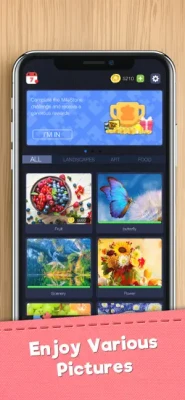
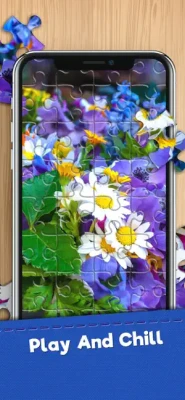
Escape the noise of everyday life with Jigsaw Puzzles - Album HD. This app is more than just a game; it is a curated digital gallery designed for the modern puzzle enthusiast. Featuring an extensive "Album" of thousands of photos—ranging from breathtaking landscapes and exotic animals to intricate architectural wonders and fine art—every piece is rendered in stunning HD quality. The game caters to all skill levels, allowing you to choose your piece count and difficulty settings. Whether you’re looking for a quick 36-piece mental break or a challenging 400-piece masterpiece, the smooth drag-and-drop mechanics and "Smart Snap" technology make the experience seamless. With the ability to organize your completed puzzles into personalized albums, you can look back on your progress and relive the satisfaction of every completed image.
Core Gameplay Elements
Features:
Massive HD Library: New high-resolution puzzles are added regularly to keep the collection fresh.
Personalized Albums: Save and categorize your favorite puzzles into custom folders.
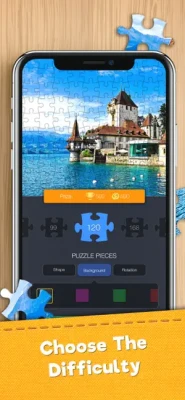
Adjustable Difficulty: Choose from a handful of pieces up to hundreds for a true challenge.
Rotation Mode: Turn on piece rotation for an added layer of traditional jigsaw complexity.
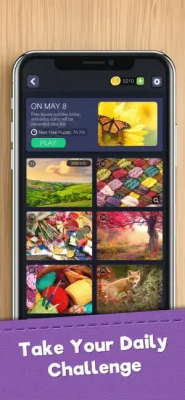
Daily Challenges: A unique puzzle delivered every 24 hours to keep your mind sharp.
Characters:
The Collector (Player): The puzzle master whose goal is to fill their digital albums with completed masterpieces.
Items / Tools:
Magnifying Glass: Helps you see fine details in complex patterns.
Edge Filter: Quickly sort and display only the border pieces to build your foundation.
Preview Mode: Displays the original image in the background to guide your placement.
Ghost Mode: Shows a faint outline of the final image on the board for easier matching.
Guides & Strategies
How to Play:
Browse: Select an image from the Album categories.
Set Up: Choose your piece count and whether you want the pieces to rotate.
Solve: Drag and drop pieces onto the board. They will "snap" into place when correctly positioned.
Celebrate: Once finished, save the high-res image to your completed album.
How to Win (Strategy):
Focus on Color Grading. Digital puzzles often have more vibrant color distinctions than physical ones. Use the "Sort by Color" logic to group pieces into small piles on the side of your workspace. Clearing the screen of clutter and focusing on one color block at a time (like the blue of the sky or the green of a forest) is the fastest way to completion.
Beginner’s Guide:
Always start with the Border Pieces. Use the Edge Filter to isolate pieces with straight edges. Building the frame first gives you a clear boundary and makes it much easier to estimate the size and placement of internal elements.
Advanced Pro Strategy:
Master the "Visual Anchor" technique. Identify a unique, highly detailed part of the image (like a person's eye, a specific flower, or a sign). Build around these anchors first rather than trying to build from the edges inward. This "islands of progress" method prevents the frustration of large, monochromatic areas like oceans or clouds.
Player Insights & Technical Details
Players Experience:
Users frequently mention the "soothing background music" and the "lack of clutter" in the UI. It is often cited as a top-tier app for tablet users who enjoy seeing the fine details of the HD photography.
Pros & Cons:
Pros: Very high image quality, clean organization, and works beautifully on iPad.
Cons: Higher piece counts require a larger screen for the best experience.
Technical Details & System Requirements:
iOS: Requires iOS 12.0 or later. Optimized for iPadOS.
Storage: Approx. 200MB (additional space used for downloaded puzzle packs).
Display: Supports Retina and ProMotion displays for crystal-clear imagery and smooth piece movement.
Updates & What's New:
The 2026 "Artist Series" update introduced a collection of licensed contemporary art pieces and a new "Custom Puzzle" feature where you can turn your own photos into HD jigsaws.
Comparison & Verdict
Similar Games: Magic Jigsaw Puzzles, Jigsaw Puzzles Epic, and Jigsaw HD.
Competitor Games: Puzzle Page and Nonogram.com.
Is It Worth Playing? Honest Verdict:
Jigsaw Puzzles - Album HD is the gold standard for visual fidelity. If you appreciate high-quality photography and a sophisticated, adult-oriented design, this is the app for you. It trades flashy gimmicks for a pure, high-definition experience that feels like a premium hobby.
FAQ
Can I play offline? Yes, once you have downloaded a puzzle pack to your album, you can solve them without an internet connection.
Is there a limit to how many puzzles I can have? No, the album system is designed to hold thousands of completed and in-progress puzzles.
Does it support Apple Pencil? Yes, the game is highly responsive to Apple Pencil for precise piece placement on iPad.
Trophy & Achievement Guide
Album Architect: Complete your first full album of 10 puzzles.
Piece Master: Place 5,000 total pieces correctly.
Morning Zen: Complete a Daily Challenge 7 days in a row.
Grand Master: Successfully complete a 400+ piece puzzle with Rotation Mode enabled.
Rate the Game
User Reviews













Popular Games




















 Android
 iOS
iOS Windows
 Xbox
Xbox