
Latest Version
February 22, 2026
Trade Girgus
Puzzle
iOS
0
Report a Problem
More About :game
1. Description
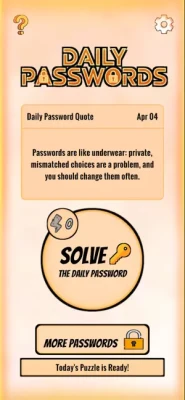
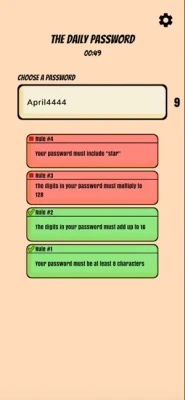
Daily Passwords serves as a specialized tool for creating and organizing passwords and sensitive information. The app focuses on simplifying the process of generating complex, secure passwords while providing a structured environment to keep them accessible for daily use. It is tailored for users who need a lightweight and intuitive way to enhance their digital security without the complexity of enterprise-level password managers.
2. Key Features
Secure Generation: Built-in tools to create strong, randomized passwords that meet modern security standards (using a mix of characters, symbols, and numbers).
Categorized Storage: Organize your credentials into specific folders or categories (e.g., Social Media, Work, Finance) for quick retrieval.
Minimalist Interface: A clean, user-friendly design that prioritizes speed and ease of navigation.
Apple Ecosystem Integration: Optimized for performance across iPhone, iPad, and Mac (Apple Silicon), ensuring a consistent experience across devices.
Lightweight Footprint: The app is designed to be efficient, taking up minimal storage space while providing essential utility functions.
3. How to Use
Creation: Use the "Generate" function to create a new, high-strength password. You can often customize the length and character types included.
Storage: Save the generated password alongside the associated username or service name.
Retrieval: Use the search or category filters to find the specific password you need for a daily login.
Copy & Paste: Utilize one-tap copy functionality to quickly move your passwords from the app to your browser or other applications.
4. Best Practices for Security
Unique Passwords: Never reuse the same password across multiple services. Use the app to ensure every account has a distinct code.
Regular Updates: Periodically use the app’s generator to refresh passwords for your most sensitive accounts (like email or banking).
Device Security: Ensure your physical device (iPhone/iPad) is secured with FaceID, TouchID, or a strong passcode, as the app relies on the device's native security layers.
Avoid Plain Text: Do not store "Master" passwords or recovery phrases in clear view; use the app’s organizational features to keep them structured.
5. Technical Details
Developer: Trade Girgus
Platform: iOS (App Store), iPadOS, macOS (M1 or later), visionOS
Compatibility: Requires iOS 13.0 or later
Category: Productivity / Utilities
File Size: ~252.6 MB
Age Rating: 4+
Monetization: Free-to-download; may include advertisements or in-app purchases for premium organizational features.
6. FAQ
Q: Is my data synced to the cloud?
A: The app typically focuses on local storage or utilizes Apple’s standard iCloud keychain protocols for synchronization across your personal devices.
Q: Can I use this on my MacBook?
A: Yes, the app is compatible with Mac computers equipped with the Apple M1 chip or later.
Q: Does it support Apple Vision Pro?
A: Yes, the app is optimized for visionOS, allowing you to manage your credentials in a spatial computing environment.
Q: Is there a limit to how many passwords I can store?
A: Most standard utility apps of this type allow for a vast number of entries, though premium versions may offer advanced sorting or unlimited backup options.
Rate the Game
User Reviews











Popular Games




















 Android
 iOS
iOS Windows
 Xbox
Xbox