

Latest Version
January 02, 2026
GoKids! publishing
Educational
0
com.gokids.bphone1
Report a Problem
More About :game
The experience is intentionally straightforward. Children tap the colorful phone buttons, listen to sounds, discover different animals, practice numbers from 0 to 9, and experiment with musical sounds. The simple controls make it easy for very young players to interact with the game without complicated menus or difficult mechanics.
Google Play currently lists the game with more than 50 million downloads, a 4.2-star rating, and approximately 39,000 reviews. It is rated PEGI 3 and is available on Android and Windows.
What Is Babyphone game Numbers Animals?
Babyphone game Numbers Animals is an educational phone game built around short, interactive activities. Instead of traditional levels or challenging objectives, it gives children a playful environment where every button can introduce something new.
The game includes three main activity styles:
- Animal learning
- Number learning
- Music and sound activities
The animal section introduces children to animals and their sounds. The number section covers numbers from 0 through 9, while the music mode lets children experiment with different sounds.
The colorful interface also introduces children to different colors, with the phone buttons presented in multiple colors.
Main Features
Animal Learning
Children can discover familiar animals such as horses, goats, dogs, cats, geese, roosters, mice, cows, pigs, and sheep.
The interactive design allows children to associate an animal with its appearance and sound. This makes the animal activity useful for simple recognition and listening exercises.
Numbers From 0 to 9
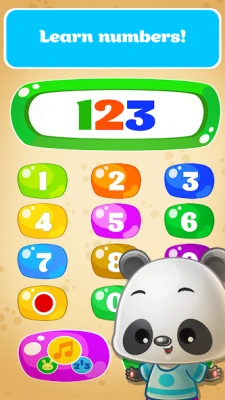
The number mode introduces the basic digits from 0 to 9. Children can press the buttons and hear the corresponding number names in the selected language.
This provides a simple way for young children to become familiar with numbers while interacting with the virtual phone.
Animal Sounds
Sound is an important part of the experience. Pressing different buttons can produce animal voices and other sounds, encouraging children to connect what they see with what they hear.
Color Recognition
The virtual phone uses colorful buttons, including colors such as blue, red, and green. This gives children another visual element to explore while using the phone.
Music and Sounds
The music mode allows children to experiment with musical sounds. Songs, rhymes, and playful audio help make the activities more entertaining.
Multiple Languages
The game supports 17 languages, including English, Spanish, Russian, French, German, Portuguese, Chinese, Dutch, Arabic, Japanese, Polish, Turkish, and Vietnamese.
Simple Touch Controls
There are no complicated controls to learn. Most interactions involve tapping buttons on the virtual phone, making the game accessible to very young children.
Babyphone game Numbers Animals Gameplay
The gameplay is based on exploration rather than traditional progression.
After starting the game, parents or children can select a language and enter one of the available activities. The child can then tap the phone buttons and listen to the resulting sounds, numbers, animal voices, or musical effects.
There is no combat, complicated puzzle system, time limit, or difficult level structure. The goal is simply to interact, listen, recognize, and learn through repetition.
This makes the game particularly suitable for short play sessions.
How to Play Babyphone game Numbers Animals
Step 1: Choose a Language
Start by selecting the language you want the child to hear. The language selection can be useful when introducing basic numbers and animal vocabulary in another language.
Step 2: Explore the Animal Mode
Begin with the animal activity and let the child tap different buttons.
Encourage them to identify:
- What animal appears
- What sound it makes
- Whether they can recognize the animal before hearing its sound
Step 3: Practice Numbers
Switch to the number activity and explore the digits from 0 to 9.
A simple approach is to repeat each number aloud after the game says it. This turns a short gaming session into a basic number-recognition exercise.
Step 4: Experiment With Sounds
Try the music activity and allow the child to press different buttons.
There is no need to rush. The activity is designed around experimentation and discovering different sounds.
Step 5: Repeat Favorite Activities
Young children often learn through repetition. If a particular animal, number, or sound gets their attention, repeat it several times before moving to another activity.
Full Strategy Guide
Babyphone game Numbers Animals does not have a conventional strategy system, but parents can use a few simple techniques to make each session more productive.
Start With Familiar Animals
Begin with animals the child already knows. Dogs, cats, cows, pigs, and horses are usually easier to identify.
Once the child recognizes familiar animals, introduce less familiar ones.
Connect Pictures With Sounds
Ask questions such as:
“Which animal makes this sound?”
Then allow the child to find the matching animal.
This turns passive listening into an interactive recognition activity.
Practice Numbers Slowly
Instead of trying to cover all ten digits in one session, focus on a small group.
For example:
0 → 1 → 2 → 3
Repeat these numbers several times before introducing more.
Use Repetition
Repetition is particularly useful with early-learning games. A child may need to hear the same number or animal sound multiple times before recognizing it consistently.
Mix Visual and Audio Learning
Ask the child to look at the animal first, then listen to its sound.
This creates a simple connection between:
Image → Name → Sound
Introduce Colors During Play
The colorful phone buttons can also be used for basic color recognition.
Ask the child to find a particular color before pressing the button.
Change Languages for Extra Practice
Because the game supports multiple languages, parents can use another supported language to introduce simple vocabulary.
For example, a child learning English could first recognize an animal in their familiar language and then hear its English name.
Keep Sessions Short
Young children generally benefit from short, focused activities rather than long sessions.
A few minutes of number practice followed by animal sounds or music can keep the experience varied.
Let Children Explore
Don't turn every session into a lesson. Part of the appeal of Babyphone game Numbers Animals is its free-form interaction.
Allowing children to experiment independently can make the activity feel more like play.
Best Activities for Different Learning Goals
| Learning Goal | Recommended Activity |
|---|---|
| Number recognition | Number mode |
| Animal recognition | Animal mode |
| Animal sounds | Animal sound activities |
| Color recognition | Colorful phone buttons |
| Listening practice | Animal and number sounds |
| Musical exploration | Music mode |
| Language exposure | Language selection |
| Touch interaction | Phone buttons |
Tips for Parents
Make Learning Interactive
Rather than simply watching the child play, occasionally ask questions about what appears on screen.
For example:
- “What animal is that?”
- “What sound does it make?”
- “Can you find number three?”
- “Which button is red?”
Follow the Child's Interest
If the child prefers animal sounds, spend more time there. If numbers are more interesting, concentrate on the number activity.
The game works best when learning follows curiosity rather than feeling like a test.
Avoid Overloading the Session
There are several things to explore, but children do not need to use everything at once.
One small activity can be enough for a short session.
Use Sound Carefully
The game includes plenty of audio, so keeping the device volume at a comfortable level is a good idea, particularly for very young children.
Difficulty
Difficulty: Very Easy
Babyphone game Numbers Animals is not designed around conventional difficulty. There are no complex stages, enemies, bosses, or demanding puzzles.
The challenge comes from recognition and interaction rather than game mechanics.
Age Range
The developer describes the game as suitable for children from around 1 year old, with the listing also mentioning educational use for toddlers and preschool children up to around five years old.
The appropriate experience will naturally vary depending on the child's development and familiarity with numbers, animals, colors, and touch controls.
Game Modes
Animal Mode
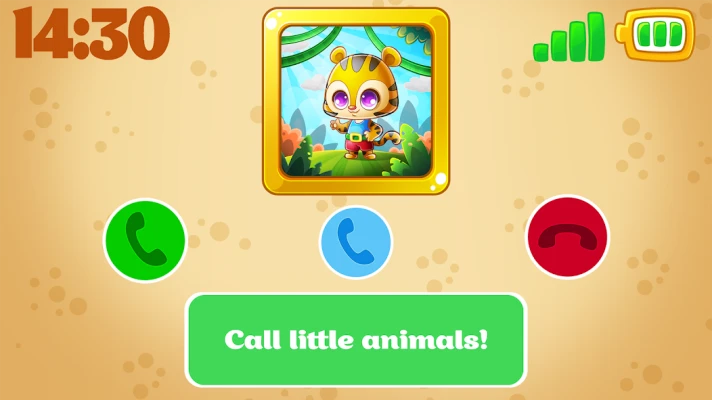
Explore animals and hear their sounds through the interactive phone.
Number Mode
Practice numbers from 0 to 9 and listen to their names in the selected language.
Music Mode
Experiment with musical sounds, songs, and playful audio.
Graphics and Atmosphere
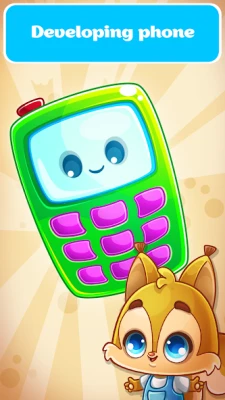
The presentation uses a bright, cartoon-style visual design aimed at young children. The virtual phone, colorful buttons, animal illustrations, and playful sounds create a cheerful atmosphere.
Rather than trying to look realistic, the game uses simple visual elements that are easy for children to understand.
Controls
Touchscreen: Tap the colorful phone buttons to interact.
The controls are intentionally simple and require no previous gaming experience.
Offline Play
Google Play currently identifies Babyphone game Numbers Animals as an offline game.
This can make it convenient for short activities when an internet connection is unavailable, although parents should always check the current app behavior and device settings.
Platforms
According to the current Google Play listing:
- Android
- Windows
The Windows version is listed as being powered by Intel technology.
Ratings and Player Feedback
The Google Play listing currently shows a 4.2-star rating and around 39K reviews, with more than 50 million downloads.
The review history includes positive comments about the game's learning and entertainment value, while some older reviews raised concerns about advertising in a children's app. The developer responded to those concerns by pointing users toward the Parents section for removing ads. These comments are historical user feedback rather than an assessment of the current advertising experience.
Pros and Cons
Pros
- Simple controls for very young children
- Animal recognition and animal sounds
- Numbers from 0 to 9
- Colorful interface
- Music and sound activities
- Multiple language support
- Designed for early learning
- Offline listing on Google Play
- Available on Android and Windows
Cons
- Very simple for older children
- Limited traditional gameplay
- No conventional levels or progression system
- Contains ads and in-app purchases according to Google Play
- Parents may want to supervise very young children while using the device
Is Babyphone game Numbers Animals Good for Kids?
Babyphone game Numbers Animals is built around simple early-learning activities rather than traditional gaming challenges. Its combination of numbers, animals, colors, sounds, music, and touch interaction gives young children several ways to explore the virtual phone.
It is particularly suited to parents looking for a straightforward activity for introducing basic numbers, animal recognition, sounds, and simple vocabulary.
Final Thoughts
Babyphone game Numbers Animals takes the familiar idea of a toy phone and turns it into a colorful digital learning activity. Its biggest strength is simplicity: children can tap, listen, discover animals, practice numbers, experiment with sounds, and explore colors without having to understand complicated game rules.
For toddlers and preschoolers, the experience works best as a short, supervised activity where parents can participate, repeat new words, and turn the game's simple interactions into opportunities for learning.
Frequently Asked Questions
What is Babyphone game Numbers Animals?
Babyphone game Numbers Animals is an educational children's game from GoKids! publishing that combines animal sounds, numbers, colors, music, and interactive phone activities.
What numbers can children learn?
The number mode covers digits from 0 to 9.
What animals are included?
The game features animals including horses, goats, dogs, cats, geese, roosters, mice, cows, pigs, and sheep.
Is Babyphone game Numbers Animals suitable for toddlers?
The developer describes the game as suitable for young children beginning around one year old and also lists it for toddlers and preschool children.
Does the game support multiple languages?
Yes. The current listing says the game supports 17 languages.
Can children play it offline?
Google Play currently lists the game as offline.
Is Babyphone game Numbers Animals free?
Google Play lists the game as containing ads and in-app purchases.
What platforms support the game?
The current Google Play listing identifies Android and Windows as supported platforms.
Rate the Game
User Reviews








Popular Games



















 Android
 iOS
iOS Windows
 Xbox
Xbox