
Latest Version
November 04, 2026
mobirix
Simulation
0
com.mobirix.driveking
Report a Problem
More About :game
Game Information
Game Title: Traffic and Driving Simulator
Developer: mobirix
Package Name: com.mobirix.driveking
Category: Racing
Genre: Driving Simulation, Car Driving, Parking
Gameplay Style: Mission-based driving challenges
Camera Views: First-person and third-person
Main Activities: Parking, racing, lane changing, cornering, and driving missions
Game Structure: Multiple maps and stages
Additional Features: Leaderboards and achievements
Language Support: 16 languages
Device Support: Android phones and tablets
Monetization: Free to play with advertisements and in-app purchases
Age Rating: Everyone
What Is Traffic and Driving Simulator?
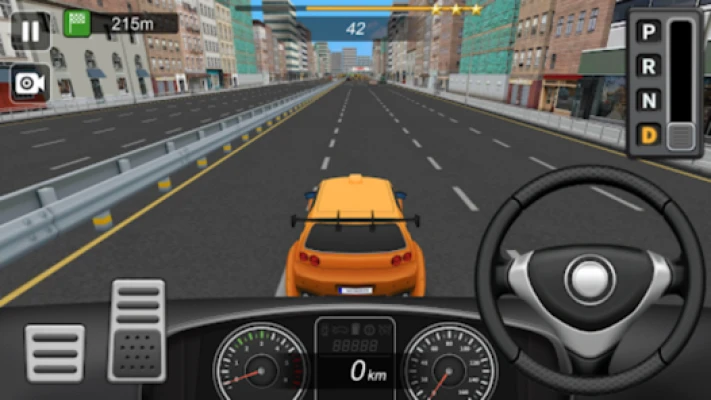
Traffic and Driving Simulator is a driving-focused mobile game that allows players to experience several types of road challenges. Rather than concentrating on only one racing format, it combines different driving activities into a mission-based experience.
Players can practice parking in different situations, complete racing missions, change lanes, and demonstrate their ability to handle corners. Each activity requires a different approach, encouraging players to develop better control and pay attention to their surroundings.
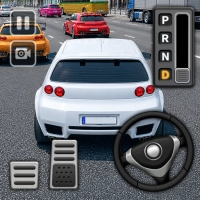
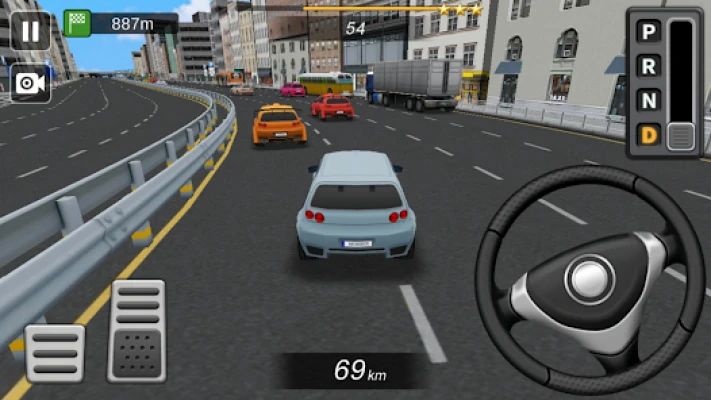
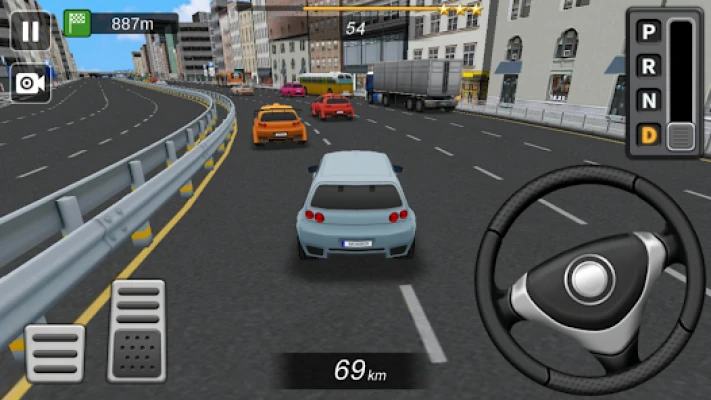
The game also offers first-person and third-person camera views. This gives players the freedom to choose how they want to experience each driving challenge. Some may prefer the closer perspective of the first-person view, while others may find the third-person camera more comfortable for judging vehicle position.
With multiple maps, varied stages, achievements, and leaderboards, Traffic and Driving Simulator provides a collection of driving challenges for casual players and fans of mobile vehicle games.
Main Features of Traffic and Driving Simulator
Different Parking Challenges
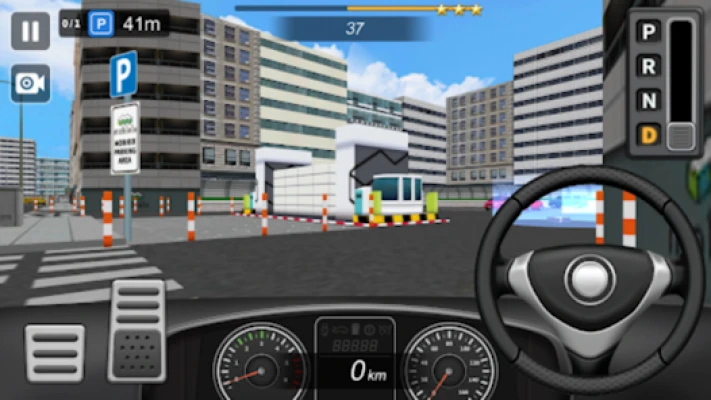
Parking is one of the main activities in the game. Players encounter missions that require them to position their vehicles carefully and reach designated parking areas.
These challenges test steering accuracy, distance judgment, and vehicle control. A small mistake can make it difficult to complete a parking task, so patience and careful movements are essential.
Exciting Racing Missions
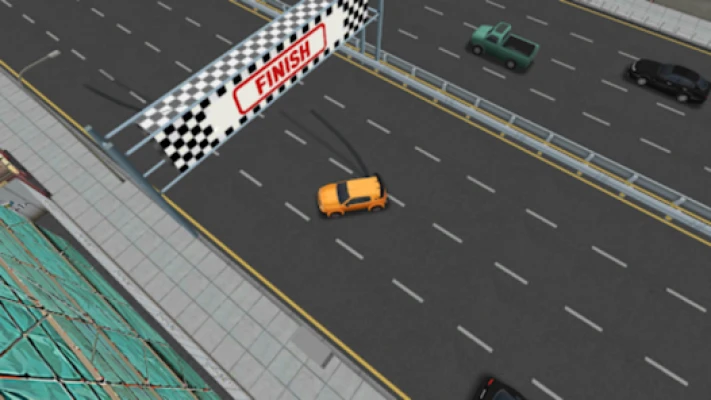
The game also includes racing missions for players who enjoy faster driving challenges.
These activities focus on controlling the vehicle while maintaining speed and responding to the road. Players need to balance acceleration with steering to avoid losing control during difficult sections.
Lane-Changing Missions
Changing lanes is another important part of the gameplay. These missions challenge players to move between lanes while maintaining control of their vehicles.
Good timing and awareness are important because sudden movements can make it harder to complete a driving objective successfully.
Cornering Challenges
Cornering missions test how well players can control their vehicles through turns. Successful driving requires smooth steering and appropriate speed management.
Taking a corner too quickly can make the vehicle difficult to control, while slowing down too much may affect the ability to complete a timed challenge.
First-Person and Third-Person Views
Traffic and Driving Simulator provides two camera perspectives.
First-person view: Offers a closer driving perspective that can make road navigation feel more immersive.
Third-person view: Shows more of the vehicle and its surroundings, making it useful for judging positioning during parking and turning.
Players can experiment with both views and choose the one that works best for each mission.
Multiple Maps and Stages
Different maps provide variety throughout the game. Players can experience new driving environments and face missions that require different skills.
This variety helps prevent the gameplay from becoming repetitive and encourages players to adjust their approach depending on the challenge.
Achievements and Leaderboards
The game supports achievements and leaderboards, giving players additional goals beyond completing individual missions.
Achievements recognize progress, while leaderboards provide a competitive element for players who enjoy comparing their performance.
Support for 16 Languages
The game supports 16 languages, making its interface and gameplay information accessible to a broad international audience.
It also supports tablet devices, allowing players to enjoy the driving experience on larger screens.
Complete Gameplay Guide
Understanding the Driving Controls
The first step is becoming comfortable with the vehicle controls. Before attempting difficult missions, spend some time learning how the steering and driving inputs affect the car.
Avoid making sudden movements unless the situation requires them. Smooth control makes it easier to navigate narrow areas, complete parking tasks, and handle corners.
How to Complete Parking Missions
Parking missions require precision rather than speed.
Approach the designated parking area carefully and pay attention to the vehicle's position. Make small steering adjustments instead of turning sharply at the last moment.
If the car is not aligned correctly, slow down and correct its direction before moving farther into the parking space.
How to Handle Racing Missions
Racing missions require a different driving style. Players need to maintain momentum while responding to turns and changes in the road.
Learn the course layout whenever possible. Anticipating corners and adjusting speed before reaching them can help you maintain better control.
How to Complete Lane-Changing Missions
Lane-changing challenges reward careful timing.
Before moving into another lane, check the surrounding space and make a controlled steering adjustment. Avoid unnecessary lane changes, especially when the mission requires precise movement.
How to Improve Cornering
Good cornering depends on controlling speed and steering together.
Reduce your speed before approaching a difficult turn, then steer smoothly through the corner. Once the vehicle is properly aligned with the road, gradually increase speed again.
Choosing the Best Camera View
Try both camera perspectives rather than using the same view for every mission.
First-person view can provide an immersive driving experience, while third-person view may make it easier to judge the vehicle's position relative to parking spaces and obstacles.
Choose the perspective that gives you the clearest view of the challenge.
Full Strategy Guide: How to Complete More Missions
Master Smooth Steering
One of the most useful skills in Traffic and Driving Simulator is learning to steer smoothly.
Sharp steering movements can make parking and cornering more difficult. Try using controlled adjustments and avoid overcorrecting when the vehicle moves slightly away from your intended path.
The more consistent your steering becomes, the easier it will be to handle different missions.
Control Your Speed
Driving quickly is not always the best way to complete a challenge.
Parking and precision-driving missions usually require slower movements, while racing missions may reward faster driving. Learn to recognize the objective before deciding how aggressively to drive.
A good player knows when to accelerate and when to slow down.
Plan Your Parking Approach
Do not rush toward a parking space without considering the vehicle's angle.
Approach from a position that gives you enough room to turn. If the alignment is not correct, make small corrections rather than trying to force the vehicle into the space.
Look Ahead During Racing Missions
Focus on the road ahead instead of reacting only when an obstacle or corner appears.
Looking ahead gives you more time to prepare for changes in direction and adjust your speed. This is particularly useful in missions that combine straight roads with tight turns.
Avoid Unnecessary Lane Changes
Changing lanes without a clear reason can make driving missions harder.
Before moving, consider where you need to position your vehicle and whether the maneuver is necessary. Controlled lane changes are generally easier to manage than sudden movements.
Use the Camera to Improve Precision
Camera choice can influence how comfortably you complete a mission.
If you find it difficult to judge the vehicle's position while parking, try third-person view. If you prefer a closer driving perspective, experiment with first-person view.
Changing perspectives can help you understand the road and vehicle positioning more clearly.
Learn From Failed Attempts
Some missions may require several attempts. Instead of repeating the same movements, identify what caused the failure.
Consider whether you approached too quickly, turned too sharply, or entered a parking space from an unsuitable angle.
Making one improvement at a time is a practical way to develop better driving skills.
Develop Different Driving Skills
Do not focus exclusively on racing or parking. The game includes several types of missions, and each develops a different aspect of vehicle control.
Practice cornering, lane changes, and general driving challenges alongside parking. A balanced approach helps you become more comfortable with the game's variety.
Work Toward Achievements
Achievements offer additional objectives that can make progression more rewarding.
Check your available achievements and use them as goals while completing missions. This adds another reason to improve your performance beyond simply reaching the next stage.
Best Tips for Beginners
Begin with easier missions to understand the driving controls.
Use smooth steering instead of making sudden movements.
Slow down when approaching parking spaces.
Check your vehicle's alignment before entering a parking area.
Learn the layout of racing courses.
Reduce speed before difficult corners.
Avoid unnecessary lane changes.
Experiment with both camera perspectives.
Practice different mission types rather than repeating only one activity.
Learn from failed attempts and adjust your approach.
Pay attention to achievements and leaderboard progress.
Advanced Driving Strategies
Improve Parking Accuracy
Experienced players should focus on positioning the vehicle correctly before entering a parking space.
A good approach reduces the need for repeated corrections. Learn to judge the distance between your vehicle and the parking boundaries, and make smaller adjustments as you get closer.
Develop Better Racing Control
Advanced racing performance requires more than maintaining high speed.
Learn to anticipate turns, control acceleration, and avoid unnecessary steering movements. Consistency can be more useful than aggressive driving when navigating challenging courses.
Perfect Your Cornering Technique
Try to approach corners with a controlled speed and a clear steering plan.
Avoid making sudden corrections halfway through a turn. Smooth movements help you maintain a predictable path and prepare for the next section of the course.
Improve Your Situational Awareness
Driving missions become easier when you pay attention to the entire environment.
Look ahead, notice changes in the road, and consider where the vehicle needs to be positioned. This is especially important during lane-changing and parking challenges.
Switch Camera Views When Necessary
Do not treat the camera selection as a permanent decision.
A perspective that works well during a racing mission may not be the most comfortable option for parking. Experiment with both views to find the clearest perspective for each task.
Common Mistakes to Avoid
Driving too fast during parking: High speed makes precise positioning harder. Slow down and use controlled movements.
Turning too sharply: Sudden steering can cause the vehicle to lose its intended path. Make smoother adjustments.
Ignoring the mission objective: Different challenges require different driving techniques. Understand the task before choosing your approach.
Entering corners without reducing speed: Fast cornering can make it harder to control the vehicle. Adjust your speed before turning.
Changing lanes unnecessarily: Extra movements can make lane-changing missions more difficult. Plan your position in advance.
Using only one camera perspective: Some missions may be easier with a different view. Experiment with both options.
Repeating failed attempts without changing anything: Identify the mistake and adjust your strategy before trying again.
Focusing only on racing: Parking, cornering, and lane-changing are also important parts of the experience.
Is Traffic and Driving Simulator Worth Playing?
Traffic and Driving Simulator is a good choice for players who enjoy mobile driving games that offer more than traditional racing.
Its biggest strength is the variety of driving activities. Parking missions test precision, racing challenges provide excitement, lane-changing missions encourage awareness, and cornering tasks develop steering control.
The two camera perspectives are another useful feature. Players can choose between first-person and third-person views depending on their preferences and the type of mission.
The mission-based structure also makes the game suitable for shorter gaming sessions. Players can work through different challenges, improve their performance, and pursue achievements and leaderboard progress.
However, players looking for a large open-world driving experience may find the mission-focused structure more limited than a free-roaming driving simulator. The game also includes advertisements and in-app purchases, which may not appeal to everyone.
Overall, Traffic and Driving Simulator offers a varied mobile driving experience for casual players, parking enthusiasts, and people who enjoy improving their virtual driving abilities.
Frequently Asked Questions
What is Traffic and Driving Simulator?
Traffic and Driving Simulator is a mobile driving game developed by mobirix. It features parking, racing, lane-changing, cornering, and other driving missions.
Is Traffic and Driving Simulator free?
Yes. The game is available as a free download on Google Play. It contains advertisements and in-app purchases.
Can I practice parking in the game?
Yes. Parking missions are one of its main features, with different parking situations that test your vehicle control and positioning skills.
Does the game include racing?
Yes. It features racing missions that challenge players to drive through courses while maintaining control of their vehicles.
Can I change the camera perspective?
Yes. You can choose between first-person and third-person camera views.
How many languages does the game support?
The game supports 16 languages.
Does Traffic and Driving Simulator have different maps?
Yes. It features various maps across its stages, giving players different driving environments and mission experiences.
Does the game support achievements?
Yes. Players can work toward achievements and compare their progress through the supported leaderboard system.
Can I play Traffic and Driving Simulator on a tablet?
Yes. The game supports tablet devices as well as Android phones.
Is Traffic and Driving Simulator suitable for beginners?
Yes. Its different mission types provide opportunities to learn basic driving techniques and gradually improve steering, parking, and cornering skills.
What is the best way to improve in the game?
Practice smooth steering, learn to control speed, approach parking spaces carefully, and adjust your technique depending on the mission. Using the camera perspective that provides the clearest view can also help.
Final Verdict
Traffic and Driving Simulator offers a varied driving experience by combining parking, racing, lane changing, and cornering challenges in one mobile game. Its first-person and third-person camera options add flexibility, while the different maps, achievements, and leaderboards provide additional reasons to keep playing.
Whether you enjoy carefully parking a vehicle, improving your cornering skills, or completing exciting racing missions, the game offers several ways to enjoy virtual driving.
For fans of mobile car games who want a mixture of driving practice and mission-based challenges, Traffic and Driving Simulator is worth exploring.
Rate the Game
User Reviews










Popular Games

















 Android
 iOS
 Windows
 Xbox