






Latest Version
August 25, 2026
Oakever Games
Puzzle
iOS
0
Report a Problem
More About :game
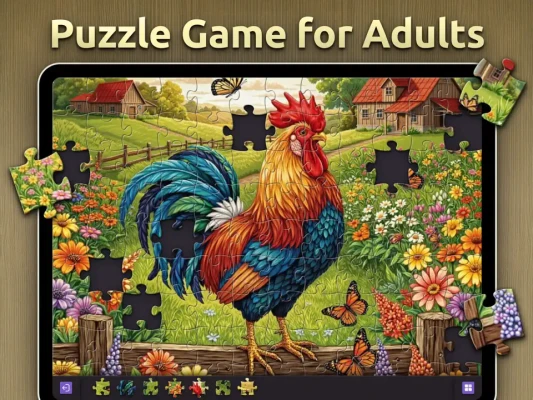
Jigsawpad is designed to make an iPad feel like a traditional puzzle table. Rather than adapting a phone-first interface to a larger screen, the game uses landscape orientation and a 4:3 layout to provide more room for puzzle pieces and a wider view of the completed image.
Developed by Oakever Games, Jigsawpad focuses on classic jigsaw gameplay while adding features that work particularly well on a large touchscreen, including Apple Pencil compatibility and a dedicated Pencil mode.
The game currently offers more than 10,000 puzzles, with piece counts ranging from 48 to 432 pieces, making it suitable for both casual players and people looking for more demanding jigsaw challenges.
What Makes Jigsawpad Different?
Jigsawpad stands out because it is specifically designed around the iPad experience.
The landscape interface gives puzzle pieces more space, while the symmetrical layout is intended to make longer sessions more comfortable. Apple Pencil support also allows for more precise interactions when selecting and moving pieces.
Instead of trying to reproduce a complicated desktop puzzle interface, Jigsawpad keeps the controls straightforward and lets the images and puzzle-solving take center stage.
Classic Jigsaw Gameplay
At its core, Jigsawpad stays faithful to traditional jigsaw puzzles.
You choose an image, select the desired difficulty, and begin assembling individual pieces until the complete picture emerges.
The game supports puzzles from 48 pieces up to 432 pieces, giving players control over how challenging each session should be.
Beginners can start with smaller puzzles, while experienced players can move toward larger piece counts for a more involved challenge.
10,000+ Jigsaw Puzzles
One of Jigsawpad's biggest attractions is its extensive image collection.
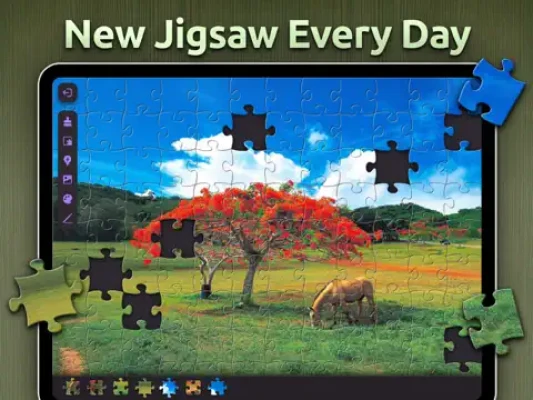
The App Store listing advertises more than 10,000 free puzzles, with images selected across a wide range of subjects.
Puzzle themes include:
- Beautiful landscapes
- Animals
- Nature scenes
- Artwork
- Whimsical images
- Scenes inspired by films
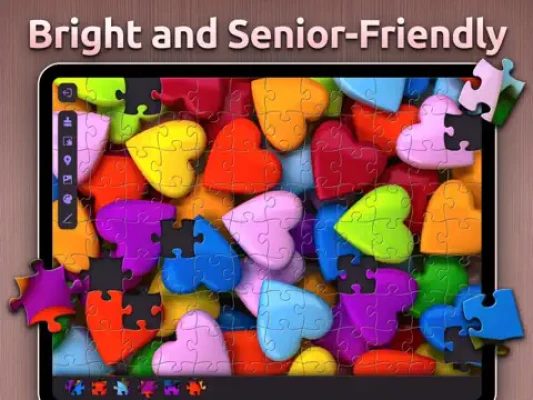
- Colorful photography
- Scenic environments
The large collection gives players plenty of variety when choosing their next puzzle.
HD Puzzle Images
Jigsawpad emphasizes high-resolution imagery, allowing completed puzzles to retain a detailed and visually appealing appearance.
The images are not simply background decoration. They become part of the puzzle-solving process, giving players visual clues through colors, shapes, textures, edges, and recognizable objects.
For players who enjoy beautiful digital jigsaw puzzles, image quality is one of the game's strongest features.
Apple Pencil Support
Jigsawpad supports Apple Pencil, making it easier to select and position individual puzzle pieces with precision.
The app also includes a dedicated Pencil mode, which allows players to select multiple pieces and move them together.
This can be particularly useful when working with larger puzzles where many pieces need to be organized around the board.
Landscape Mode
Jigsawpad is built around landscape orientation.
The wider screen provides additional space for the puzzle itself and creates a more natural presentation for landscape photographs. The App Store describes the design as an authentic, near true-to-life puzzling experience.
This makes the game especially well suited to iPad users who prefer using their tablet as a dedicated digital puzzle board.
4:3 Puzzle Layout
The game uses a 4:3 aspect ratio designed to provide a natural-looking image presentation.
Combined with the landscape interface, this gives players a broad workspace while keeping the puzzle image easy to view.
The symmetrical interface is also intended to make longer puzzle sessions more comfortable.
Puzzle Difficulty
Jigsawpad offers several puzzle sizes, from 48 pieces to 432 pieces.
48-Piece Puzzles
These are ideal for beginners, children, or players who simply want a quick and relaxing puzzle session.
Medium Puzzles
Increasing the number of pieces adds more visual complexity while keeping the puzzle manageable for regular players.
432-Piece Puzzles
The largest available puzzle size provides a much more demanding experience, requiring greater attention to detail and better organization of pieces.
How to Play Jigsawpad
- Choose a puzzle image.
- Select an appropriate piece count.
- Examine the available pieces.
- Start with recognizable edges, colors, or patterns.
- Move pieces into approximate areas of the image.
- Connect matching pieces.
- Use the completed sections to identify where remaining pieces belong.
- Continue until the entire image is assembled.
- Complete the puzzle and move on to another image.
The simple controls make the game easy to pick up, while larger puzzles provide substantial room for strategic organization.
Jigsaw Puzzle Strategy and Tips
Start With the Edges
Finding pieces with straight edges is one of the easiest ways to establish the basic structure of a puzzle.
Group Similar Colors
Separate pieces according to major colors or visual themes. Sky, water, vegetation, buildings, and other recognizable areas can make useful groups.
Look for Unique Details
Small objects, faces, text, unusual patterns, and strong color contrasts can help identify where individual pieces belong.
Organize Before You Place
With larger puzzles, keeping unused pieces organized can save significant time.
Jigsawpad's scrolling arrangement of unused pieces has been positively mentioned by players who appreciate having available pieces accessible rather than scattered around the board.
Use Apple Pencil for Precision
If you have a compatible Apple Pencil, Pencil mode can make it easier to select and move multiple pieces together.
Don't Rush
Jigsawpad is designed around relaxed puzzle solving. Taking time to inspect the image can often be more effective than moving pieces randomly.
Daily Free Puzzle
Jigsawpad offers a new free puzzle every day, giving regular players a simple reason to return even after completing some of the larger puzzle collections.
The daily puzzle format works particularly well for people who enjoy making puzzles part of their everyday routine.
Weekly Puzzle Packs
In addition to its large collection of individual puzzles, Jigsawpad offers exclusive puzzle packs and introduces a new pack each week.
This provides an ongoing stream of fresh images for players who want more variety.
Dark Mode
Jigsawpad includes a soothing Dark Mode designed for nighttime puzzle sessions.
The darker interface can create a more comfortable atmosphere when playing in lower-light environments.
Auto-Save Progress
The game automatically saves puzzle progress, allowing players to return to an unfinished puzzle without starting from the beginning.
This is particularly useful for larger 432-piece puzzles that may take more than one session to complete.
Game Atmosphere
Jigsawpad is built around relaxation rather than speed.
There are no fast reflexes to master and no action sequences to complete. The satisfaction comes from gradually transforming a scattered collection of pieces into a finished image.
The combination of scenic photography, quiet puzzle solving, large-screen presentation, and customizable difficulty makes it a natural fit for players looking for a calming digital activity.
Who Should Play Jigsawpad?
Jigsawpad is particularly suitable for:
- Jigsaw puzzle fans
- iPad users
- Relaxing game enthusiasts
- Digital puzzle collectors
- Adults who enjoy brain games
- Players who like landscape photography
- Apple Pencil users
- Casual puzzle players
- Experienced jigsaw enthusiasts
- People looking for a calming evening activity
The App Store currently gives Jigsawpad a 4+ age rating.
Player Experience
Jigsawpad currently has a 4.7-star rating from more than 92,000 ratings on the U.S. App Store, showing strong overall player reception.
Reviews frequently praise the relaxing nature of the puzzles, colorful imagery, and the iPad-focused design. Some players particularly appreciate the large workspace and the ability to work through puzzles at their own pace.
There are also criticisms. Some recent reviews mention advertising interruptions, while another player reported problems with completed puzzles not always being saved correctly. A separate review raised concerns about interface changes and increased storage or performance demands following an update.
Overall, the core puzzle experience receives strong feedback, although the advertising and occasional technical issues are worth considering.
Pros and Cons
Pros
- Designed specifically for iPad
- More than 10,000 advertised puzzles
- HD and high-resolution images
- 48 to 432 puzzle pieces
- Apple Pencil compatibility
- Dedicated Pencil mode
- Landscape orientation
- Dark Mode
- Daily free puzzle
- Weekly puzzle packs
- Automatic progress saving
- Simple controls
- Strong App Store rating
Cons
- Advertising can interrupt gameplay
- Some users have reported saving or performance issues
- Larger puzzles require significant time and attention
- Some interface changes have received mixed feedback
- Optional in-app purchases are available
Controls and Interface
Jigsawpad uses touch controls designed for the iPad's larger display.
Players can move pieces around the puzzle area, organize unused pieces, and snap matching pieces together. Apple Pencil support provides an additional precision option, while Pencil mode allows multiple pieces to be selected and moved together.
The landscape orientation keeps the puzzle area spacious and helps reduce the cramped feeling that can occur with smaller mobile puzzle interfaces.
Accessibility and Comfort
The game's large iPad layout, symmetrical interface, adjustable puzzle sizes, and Apple Pencil compatibility can make it comfortable for extended puzzle sessions. The developer also highlights the design as suitable for longer play sessions.
The App Store currently lists Jigsawpad with an age rating of 4+ and notes that it contains advertising and contests.
Game Progression
Jigsawpad does not rely on a traditional character-level progression system.
Instead, progression comes from completing puzzles, exploring different image collections, tackling increasingly complex piece counts, and discovering new puzzle packs.
The daily puzzle and weekly pack system adds another layer of ongoing content for returning players.
Puzzle Collection
The extensive puzzle library is one of Jigsawpad's defining features.
With more than 10,000 advertised puzzles, players can move between different subjects rather than repeatedly solving similar images.
This variety is especially valuable for long-term players who want a digital jigsaw collection that can keep providing new images.
Technical Details
Game: Jigsawpad® – Jigsaw Puzzles HD
Developer: Oakever Games
Seller: OAKEVER GAMES PTE. LTD.
Category: Board
Primary Device: iPad
Compatibility: iPadOS 15.0 or later
Mac: macOS 12.0 or later with Apple M1 chip or later
Apple Vision: visionOS 1.0 or later
Size: 173.8 MB
Age Rating: 4+
Languages: English plus 28 additional languages
In-App Purchases: Yes
Advertising: Yes
Current listed version: 5.0.8
Latest Updates
The current App Store listing shows version 5.0.8, released June 25, 2026. The recent version history primarily lists bug fixes and performance improvements.
Previous 2026 releases also focused on stability and performance, indicating an ongoing maintenance cycle for the app.
In-App Purchases
Jigsawpad is free to download and includes optional purchases.
The App Store currently lists Jigsawpad Plus subscriptions and several coin packages, including monthly, quarterly, and yearly options.
Players should therefore expect a free-to-download model with optional purchases rather than a completely premium one-time purchase.
Privacy Information
According to Apple's developer-provided privacy disclosure, Jigsawpad may use purchases and identifiers for tracking across apps and websites owned by other companies. The listing also identifies categories such as location, user content, usage data, and diagnostics that may be collected for purposes including advertising, analytics, personalization, and app functionality. Apple notes that these disclosures come from the developer and have not been verified by Apple.
Jigsawpad vs Traditional Jigsaw Puzzles
Traditional physical jigsaw puzzles provide a tactile experience, while digital jigsaw games offer convenience and flexibility.
Jigsawpad focuses on the advantages of a large iPad touchscreen. Pieces can be moved digitally, puzzles can be saved automatically, images can be changed instantly, and thousands of different puzzles can be accessed without needing physical storage.
The Apple Pencil support also adds a level of precision that is difficult to reproduce on a small touchscreen.
Jigsawpad vs Mobile Jigsaw Games
Many jigsaw apps are designed primarily for smartphones and then adapted for tablets.
Jigsawpad takes the opposite approach. It is specifically designed around iPad landscape play, with a wide workspace and 4:3 presentation intended to make the experience feel closer to a real puzzle board.
For iPad owners who prefer large-screen puzzle games, this focus is one of its strongest advantages.
Is Jigsawpad Worth Playing?
Jigsawpad is a strong choice if you want a dedicated iPad jigsaw puzzle game with a large image collection and a relaxing presentation.
Its biggest strengths are the 10,000+ puzzle library, flexible 48–432 piece difficulty range, Apple Pencil support, daily puzzles, weekly packs, Dark Mode, and automatic progress saving.
The biggest drawback is that some players have criticized advertising and occasional technical or interface issues.
For players who enjoy digital jigsaw puzzles and want an experience optimized for iPad rather than a phone, Jigsawpad is an appealing option.
Expert Rating
Puzzle Gameplay: 9/10
Image Quality: 9/10
iPad Optimization: 9.5/10
Controls: 9/10
Puzzle Variety: 9.5/10
Relaxation: 9.2/10
Replay Value: 9.3/10
Overall: 9.2/10
Final Verdict
Jigsawpad® – Jigsaw Puzzles HD is a polished digital jigsaw experience built around the strengths of the iPad.
Its wide landscape interface, Apple Pencil support, large puzzle collection, flexible piece counts, daily challenges, weekly packs, and high-resolution imagery give it plenty of appeal for both casual and dedicated puzzle fans.
If you are searching for a relaxing iPad jigsaw game, a large collection of HD puzzles, or a digital alternative to traditional jigsaw puzzles, Jigsawpad deserves a place on your shortlist.
Frequently Asked Questions
What is Jigsawpad?
Jigsawpad is a digital jigsaw puzzle game specifically designed for iPad, featuring more than 10,000 advertised puzzles and piece counts from 48 to 432.
Is Jigsawpad free?
Yes. Jigsawpad is free to download, with optional in-app purchases and advertising.
Is Jigsawpad designed for iPad?
Yes. The developer describes it as specifically designed for iPad, with landscape mode, a 4:3 layout, and an interface designed around the larger screen.
How many puzzles are available in Jigsawpad?
The App Store listing advertises more than 10,000 free puzzles.
How many pieces can a Jigsawpad puzzle have?
Jigsawpad offers puzzles ranging from 48 pieces to 432 pieces.
Does Jigsawpad support Apple Pencil?
Yes. Apple Pencil is supported, and the app includes a dedicated Pencil mode for selecting and moving multiple pieces.
Does Jigsawpad have a daily puzzle?
Yes. The game provides a new free puzzle every day.
Does Jigsawpad have Dark Mode?
Yes. Jigsawpad includes a Dark Mode intended for more comfortable nighttime puzzle sessions.
Does Jigsawpad save puzzle progress?
Yes. The app includes automatic saving so players can maintain their progress on unfinished puzzles.
What iPadOS version does Jigsawpad require?
The current App Store listing requires iPadOS 15.0 or later.
Who developed Jigsawpad?
Jigsawpad was developed by Oakever Games, with OAKEVER GAMES PTE. LTD. listed as the seller.
Rate the Game
User Reviews












Popular Games



















 Android
 iOS
iOS Windows
 Xbox
Xbox