

Latest Version
March 03, 2024
ELECTRONIC ARTS
Sports
Android
0
com.ea.gp.fifaultimate
Report a Problem
More About :game
### **1. Game Description**
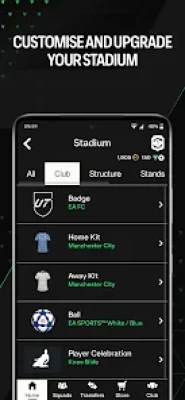
The EA SPORTS FC 26 Companion app allows you to manage your **Football Ultimate Team (FUT)** club on the go. It syncs directly with your progress on PlayStation, Xbox, or PC, ensuring you never miss a transfer market opportunity or a limited-time Squad Building Challenge (SBC). It is a vital tool for competitive players who want to maintain their club’s economy and roster without being at their console.
### **2. Key Features**
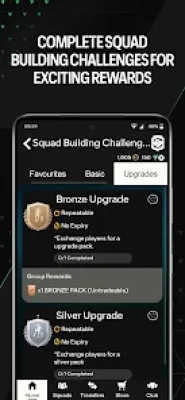
* **Squad Building Challenges (SBCs):** Exchange unwanted players from your club to unlock high-rated players, packs, or club customization items.
* **Transfer Market:** Buy and sell players in real-time. You can search for specific cards, bid on auctions, and list your own players for profit.
* **Evolutions:** A major feature in the '26 season that allows you to permanently upgrade your favorite players by completing specific objectives, which can now be tracked and managed via the app.
* **Claim Rewards:** Collect your rewards for Division Rivals, Squad Battles, and Champions directly within the app.
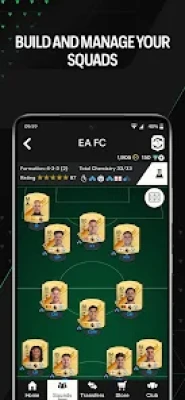
* **Tactical Management:** Edit your squad's formations, custom tactics, and player instructions so you're ready to play as soon as you turn on your console.
### **3. How to Play (How to Use)**
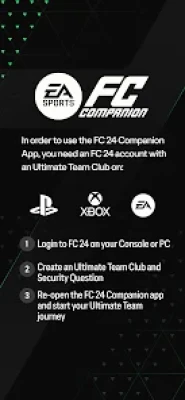
* **Setup:** You **must** first create an Ultimate Team club on your Console or PC. Once your security question is set, log in to the app with your EA Account.
* **Managing the Market:** Use filters (Quality, Rarity, Position, Chemistry Style) to find deals. You can "Snipe" players by refreshing searches for cards listed below their market value.
* **Completing SBCs:** Navigate to the SBC tab. Use the "Squad Builder" tool within the app to automatically fill in requirements with players from your club, then manually tweak them to meet the chemistry and rating targets.
* **Evolving Players:** Select the "Evolutions" tab to see which players in your club are eligible for upgrades and commit them to an active path.
### **4. How to Win: Strategy & Tips**
* **The "Monday Morning" Flip:** Since rewards are often released on Mondays/Thursdays, market prices fluctuate. Use the app to buy players when the market is flooded (low prices) and sell them on Friday during the "Weekend League" hype (high prices).
* **Mobile Sniping:** The mobile app can sometimes be faster for "Buy It Now" (BIN) transactions than the console. Use the "Compare Price" feature to quickly see the lowest current listing before you post your own card.
* **SBC Solutions:** Use external community resources (like Futbin) to find the cheapest ways to complete SBCs, then replicate those solutions in the app using your "Unassigned" or "Duplicate" players.
* **Quick Sell Recovery:** If you accidentally discard a high-rated player, the app features a "Quick Sell Recovery" tool (limited uses) to get them back.
### **5. Technical Details**
* **Developer:** Electronic Arts (EA).
* **Platform:** Android and iOS.
* **Category:** Sports / Management.
* **Requirements:** Requires an active EA Account and a copy of **EA SPORTS FC 26** on PC or Console.
* **Monetization:** Free to download; contains no direct purchases, but manages your in-game FUT currency and FC Points.
* **Data Safety:** Data is encrypted in transit. The developer collects location and personal identifiers for account security and analytics.
* **Latest Update:** v26.x (Optimized for the 2025/2026 season).
Rate the Game
User Reviews













Popular Games




















 Android
 iOS
iOS Windows
 Xbox
Xbox