

Latest Version
February 28, 2024
Zplay (Beijing) Info. Tech. Co.,Ltd.
Design
iOS
3
Report a Problem
More About :game
What Is Lip Art 3D?
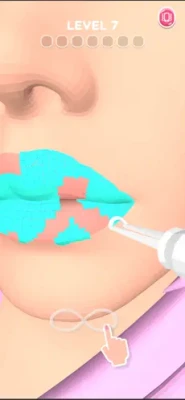
Lip Art 3D is a casual beauty simulation game developed by Zplay (Beijing) Info. Tech. Co.,Ltd.
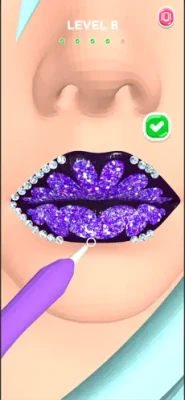
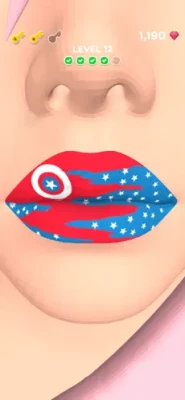
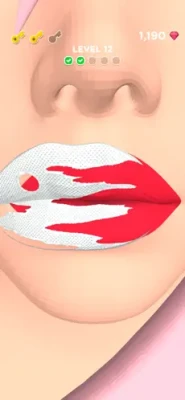
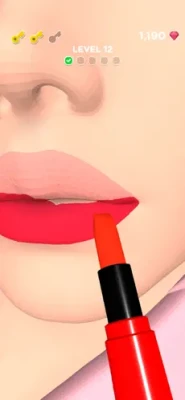
The game transforms virtual makeup into an interactive experience where players decorate lips using professional beauty tools and artistic techniques.
Players can experiment with:
- Lipstick colors
- Glitter effects
- Gem decorations
- Paint patterns
- Stickers
- Accessories
- Creative designs
Each level introduces new artistic challenges that encourage creativity and precision.
Key Features
Creative Lip Design System
Create unique beauty styles using numerous cosmetic tools.
Hundreds of Beauty Challenges
Unlock new artistic projects as you progress.
Multiple Makeup Tools
Use:
- Lipsticks
- Brushes
- Gems
- Glitter
- Stencils
- Decorative accessories
Relaxing Gameplay
No complex controls or difficult mechanics.
Progressive Difficulty
Design tasks become more detailed over time.
ASMR-Inspired Experience
Smooth animations create satisfying gameplay.
How To Play Lip Art 3D
Step 1: Follow The Design Template
Observe the target design carefully.
Step 2: Apply Base Colors
Start with the foundation layer.
Step 3: Add Decorative Elements
Apply gems, glitter, and accessories.
Step 4: Maintain Precision
Careful placement improves scores.
Step 5: Complete The Design
Finish all required tasks to progress.
Beginner Walkthrough (Levels 1-20)
Focus on accuracy.
Priorities
- Follow instructions carefully
- Learn tool functions
- Avoid rushing
- Observe patterns
Precision matters more than speed.
Intermediate Walkthrough (Levels 20-50)
Design complexity increases.
New elements include:
- Multiple color layers
- Detailed patterns
- Decorative combinations
Recommended strategy:
- Complete base layers first.
- Add decorations afterward.
- Work from the center outward.
- Compare your work with the reference image.
Advanced Walkthrough (50+ Levels)
Use the L.I.P. Method.
L – Layer Colors Properly
Always start with basic colors.
I – Improve Precision
Small details greatly affect results.
P – Place Decorations Last
Accessories should finish the design.
Best Design Strategy Guide
Step 1: Prepare The Base
Apply smooth colors.
Step 2: Build Symmetry
Keep both sides balanced.
Step 3: Add Details
Apply decorative elements carefully.
Step 4: Review The Final Result
Check for missing sections.
Creative Style Categories
Experiment with different themes.
Glamour Style
Use:
- Red lipstick
- Glitter
- Crystals
Fantasy Style
Use:
- Neon colors
- Metallic effects
- Bold accessories
Elegant Style
Use:
- Soft shades
- Minimal decorations
Festival Style
Use:
- Bright colors
- Sparkles
- Creative patterns
Best Tips and Tricks
1. Don't Rush
Slow movements improve accuracy.
2. Build From Large To Small
Start with major areas.
3. Maintain Symmetry
Balanced designs look better.
4. Study The Reference
Observe every detail.
5. Practice Precision
Consistency improves results.
Common Mistakes To Avoid
Skipping Base Layers
Always start with foundations.
Overusing Decorations
Too many accessories can ruin designs.
Ignoring Symmetry
Balance is important.
Rushing Through Levels
Patience creates better results.
Misplacing Details
Small mistakes become noticeable.
Daily 15-Minute Progression Routine
Minutes 1-5
Complete easy levels.
Minutes 5-10
Practice detailed designs.
Minutes 10-15
Experiment with new styles.
Daily play improves precision.
User Feedback Insights
Players frequently praise:
✔️ Relaxing gameplay
✔️ Creative freedom
✔️ Satisfying ASMR effects
✔️ Beautiful visual designs
✔️ Easy controls
Some players have also requested:
✔️ More design templates
✔️ Additional customization tools
✔️ Fewer advertisements
✔️ More advanced beauty challenges
Why Players Enjoy Lip Art 3D
The game successfully combines:
- Beauty simulation
- Creativity
- Casual gameplay
- ASMR relaxation
- Artistic customization
It appeals to players who enjoy makeup, design, and satisfying simulation games.
Frequently Asked Questions
Is Lip Art 3D free?
Yes. The game is free to play with optional in-app purchases.
Is Lip Art 3D suitable for beginners?
Yes. The game uses simple controls and easy tutorials.
Does the game become more difficult?
Yes. Designs become increasingly detailed.
Are there many customization options?
Yes. Players unlock numerous artistic tools.
Can you play offline?
Some features may be available offline, while updates may require an internet connection.
Final Thoughts
Lip Art 3D delivers a fun and relaxing beauty experience that combines creativity, artistic expression, and satisfying gameplay mechanics.
The best strategy is to focus on precision, symmetry, and careful decoration placement instead of rushing through levels.
Players who develop strong design habits will unlock more content and create increasingly impressive lip art masterpieces.
Rate the Game
User Reviews










Popular Games



















 Android
 iOS
iOS Windows
 Xbox
Xbox